Features
The whole business.
One login.
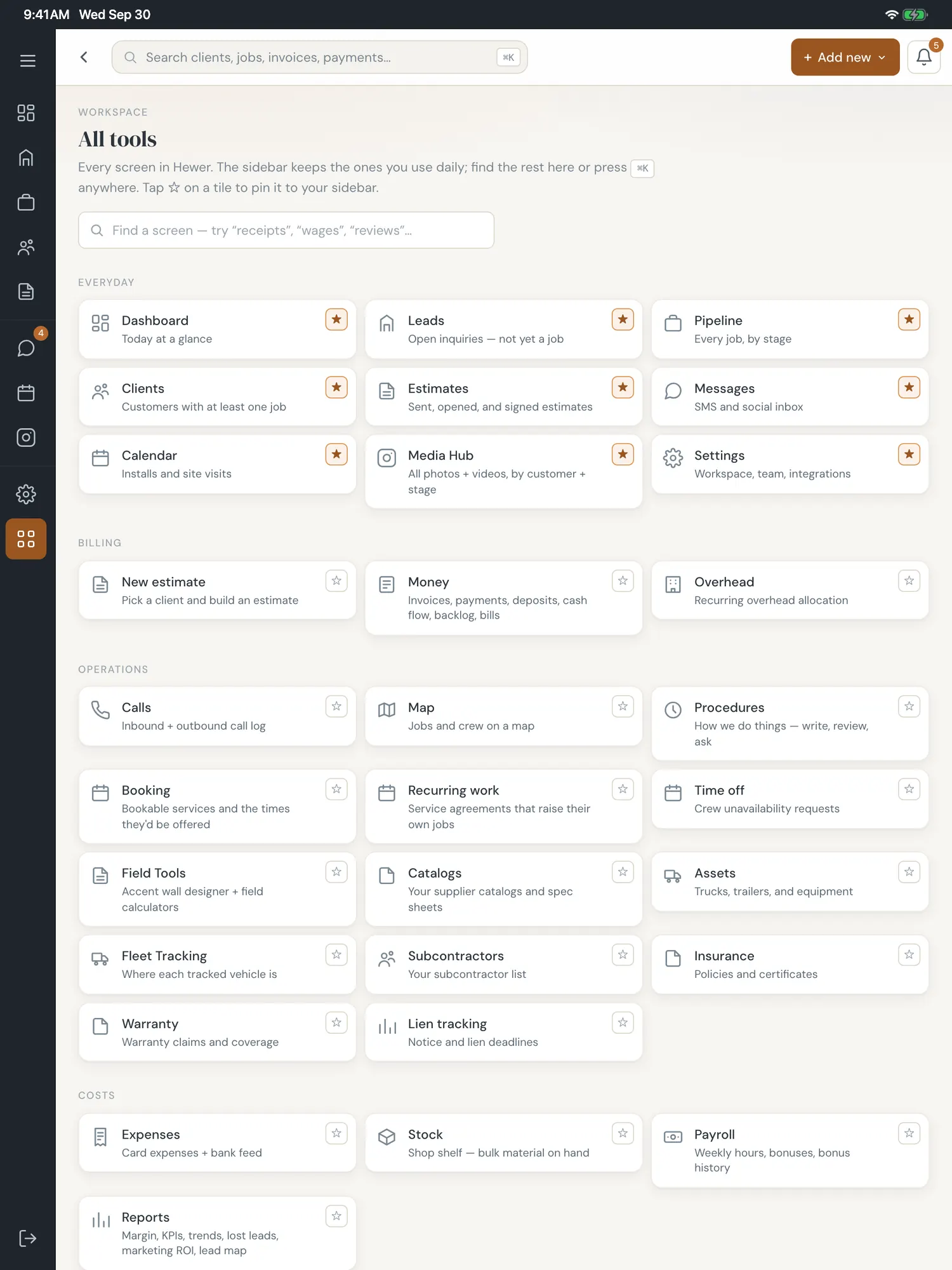
Hewer is the all-in-one CRM for construction businesses — twelve product areas and AI throughout. Same product whether you run two people or thirty, in any trade. Browse by area, or book a walkthrough and we’ll show you around.
The screens are the real thing, running on a demo company. Made-up names and numbers, real software.
Sales
Leads → estimates → contracts
Capture, quote, and close without a single CRM hand-off.
Multi-channel lead intake
Web forms and Thumbtack — every lead lands in one queue, deduped by phone.
Estimate builder
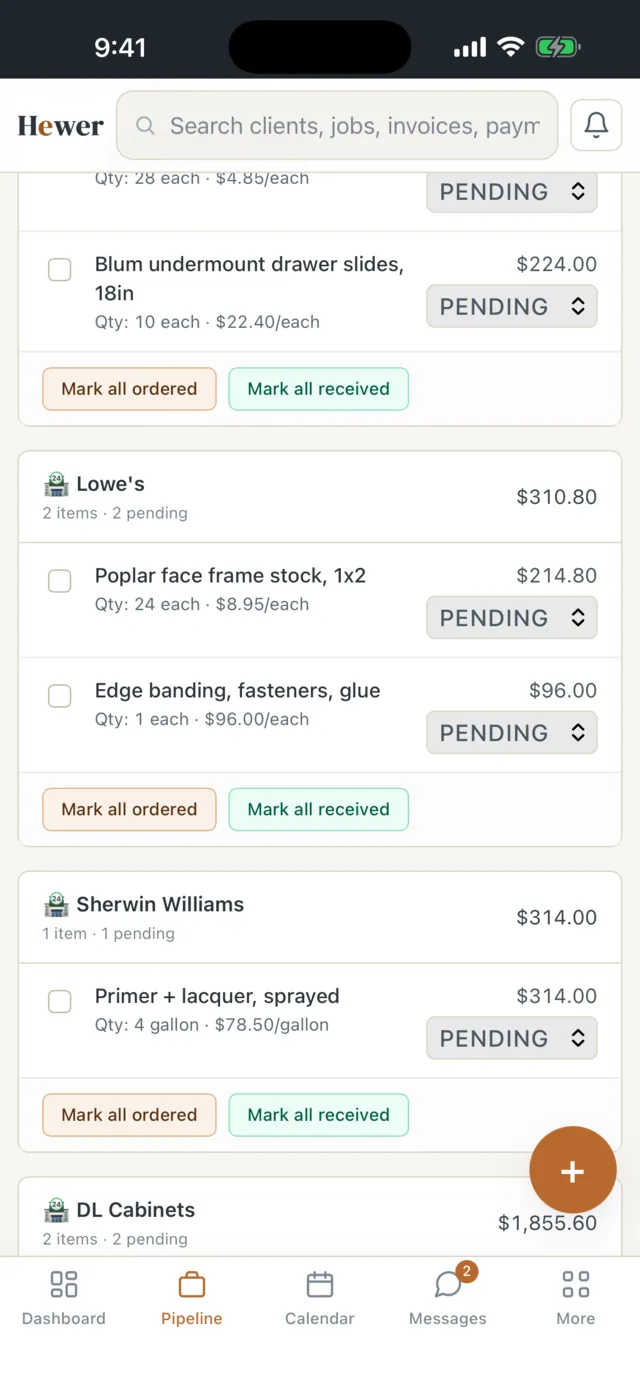
Line items, materials from your catalog, labor hours, pricing knobs (markup, minimum, buffer), and per-job-type presets.
Contracts & e-sign
Branded PDFs with approve / decline links and a full audit trail. Approval auto-spawns the contract and deposit invoice.
Operations
Pipeline, jobs & scheduling
Every job, from won to paid, in one record.
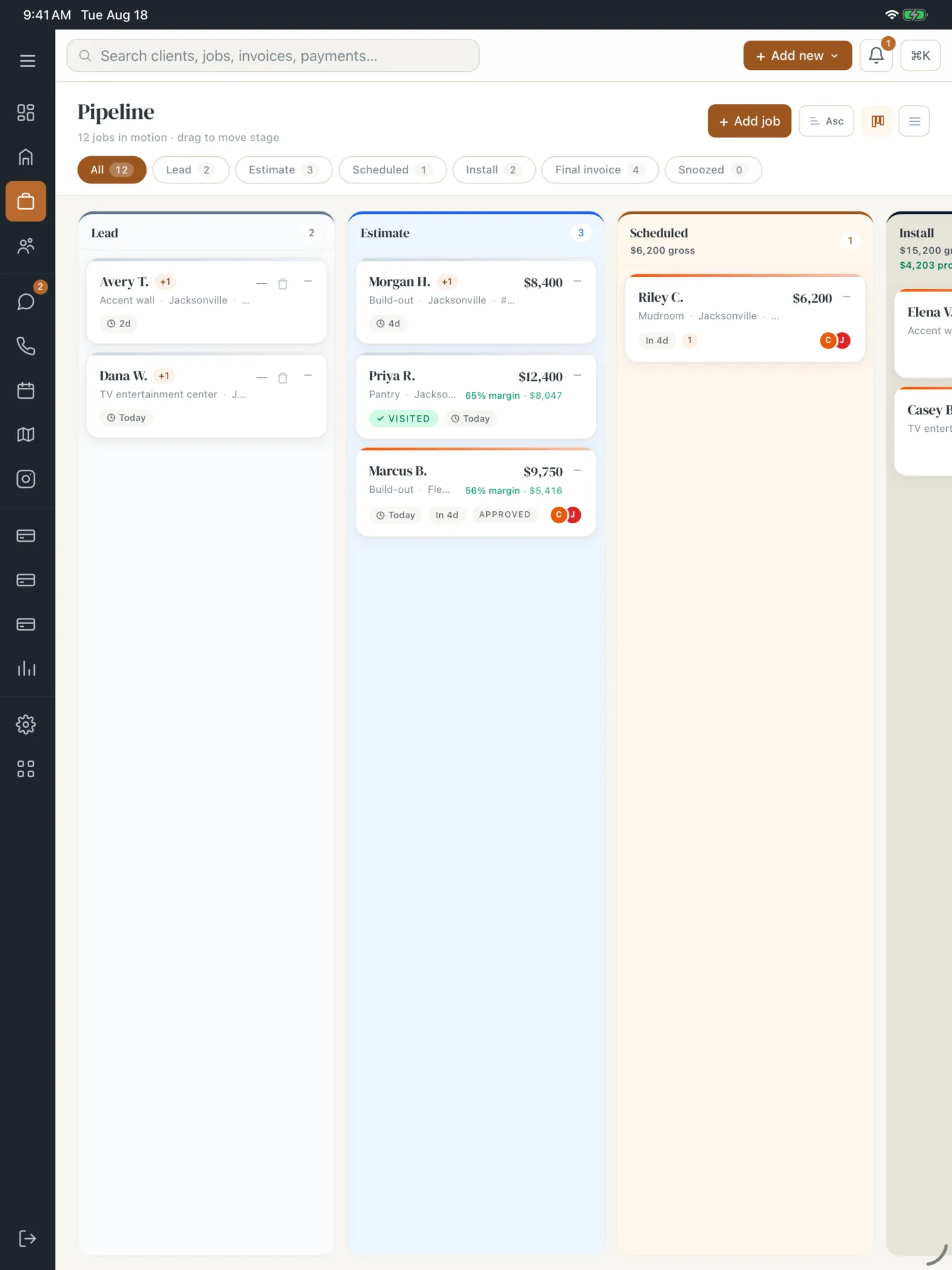
Pipeline board
A kanban of every job by status, with crew badges, conflict detection, and drag-to-reschedule.
The job record
One job page with tabs for timeline, estimate, materials, hours, photos, financials, change orders, documents, communications, and legal.
Calendar + weather
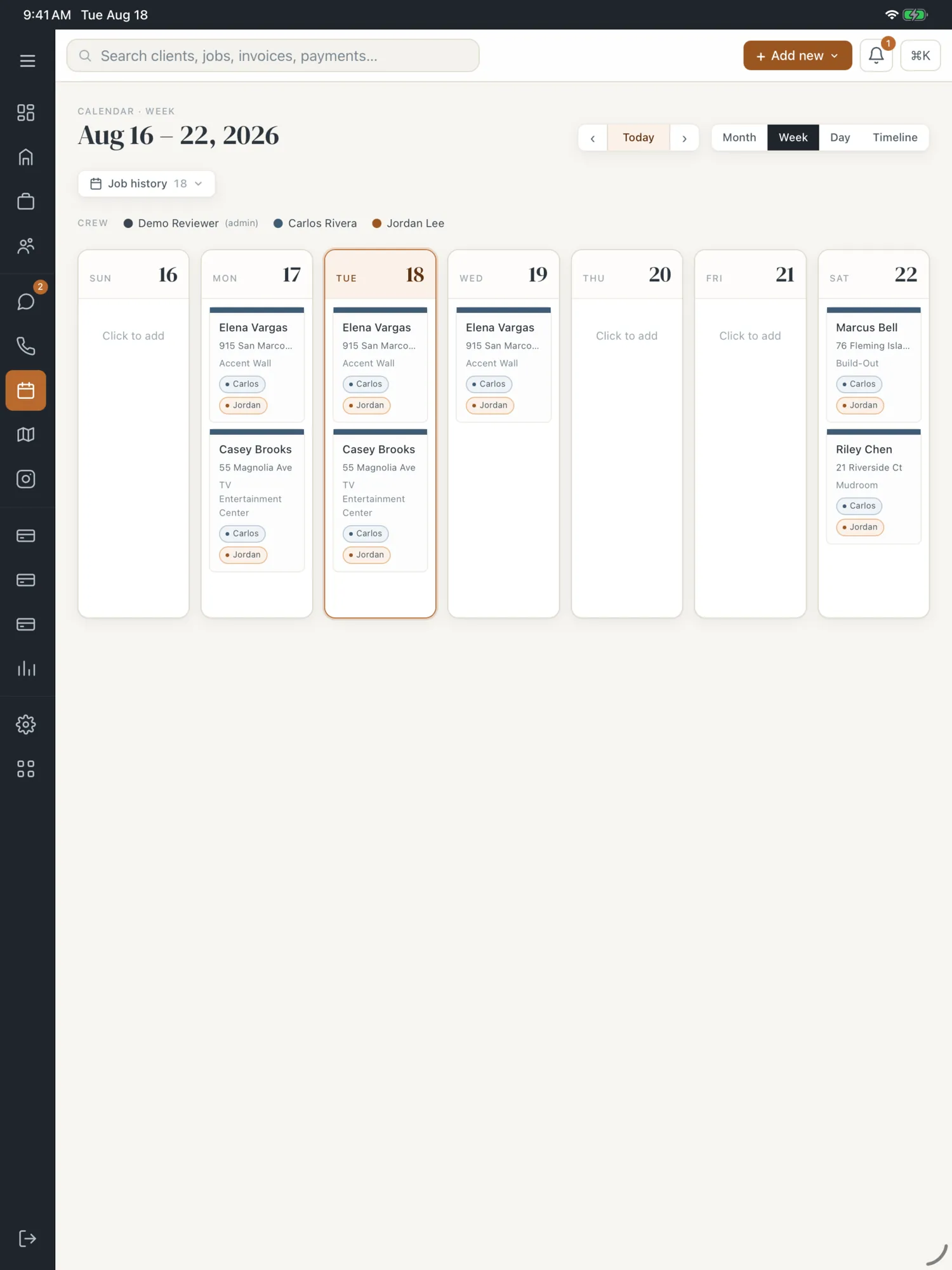
Month / week / day / timeline views, drag-to-reschedule, a 5-day forecast, and a job-history strip — built around your daily crew capacity. Confirmed dates sync to Google Calendar, and the customer can add them to their own calendar.
Time off & site visits
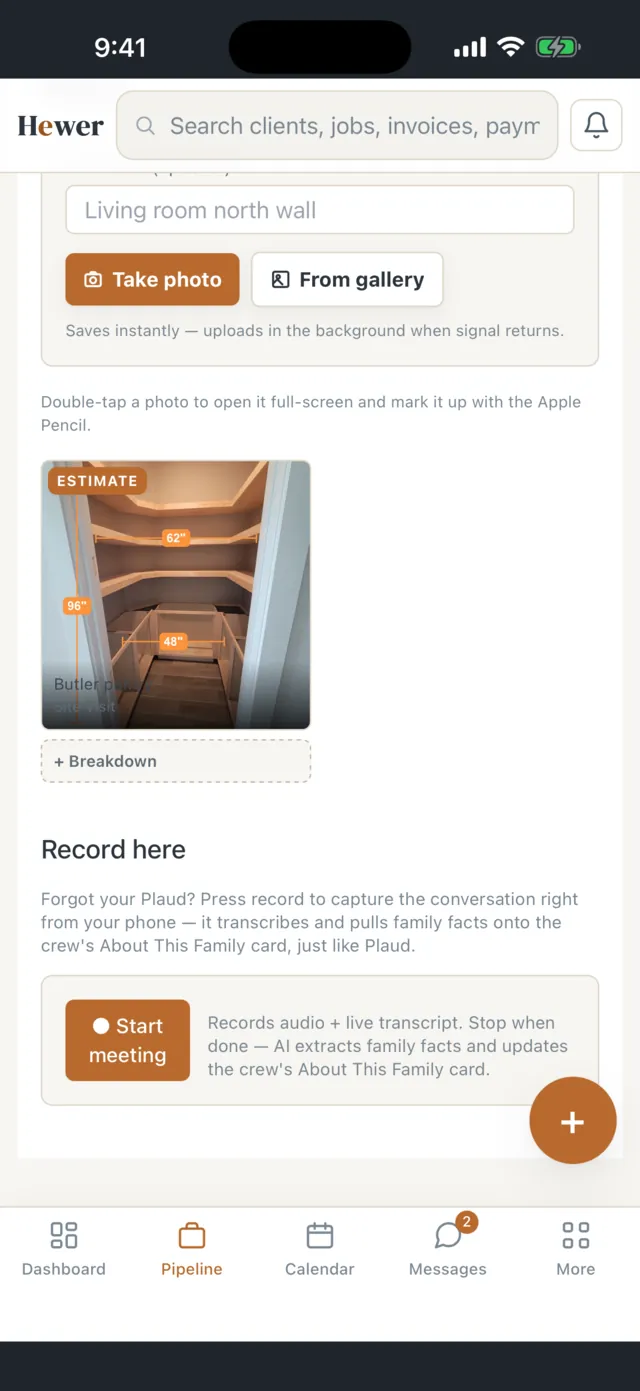
Crew members request time off for approval; estimators run a guided site-visit intake with annotated photos that hands straight to an estimate.
Customer experience
A customer portal people actually use
Your branding, not ours. Homeowner, property manager or GC — the customer sees one clean place from the quote to the last payment.
Live job portal
A persistent tracker for the life of the job — status timeline, photo gallery, scope notes, crew bios, how-to guides, and a 'what happens next' card keyed to the stage.
Approve, sign & pay
One-tap approve or decline, e-signature with an IP-and-timestamp audit trail, then pay the deposit or balance by card, Apple Pay, Google Pay, or your Zelle / Venmo / Cash App handle.
Self-scheduling
Once the contract is signed and the deposit is in, the customer books an open start date on their portal, against your daily crew capacity.
After the job
Completion certificate on demand, a praise note routed to the crew, and a Q&A that goes to the owner.
Field
The crew app
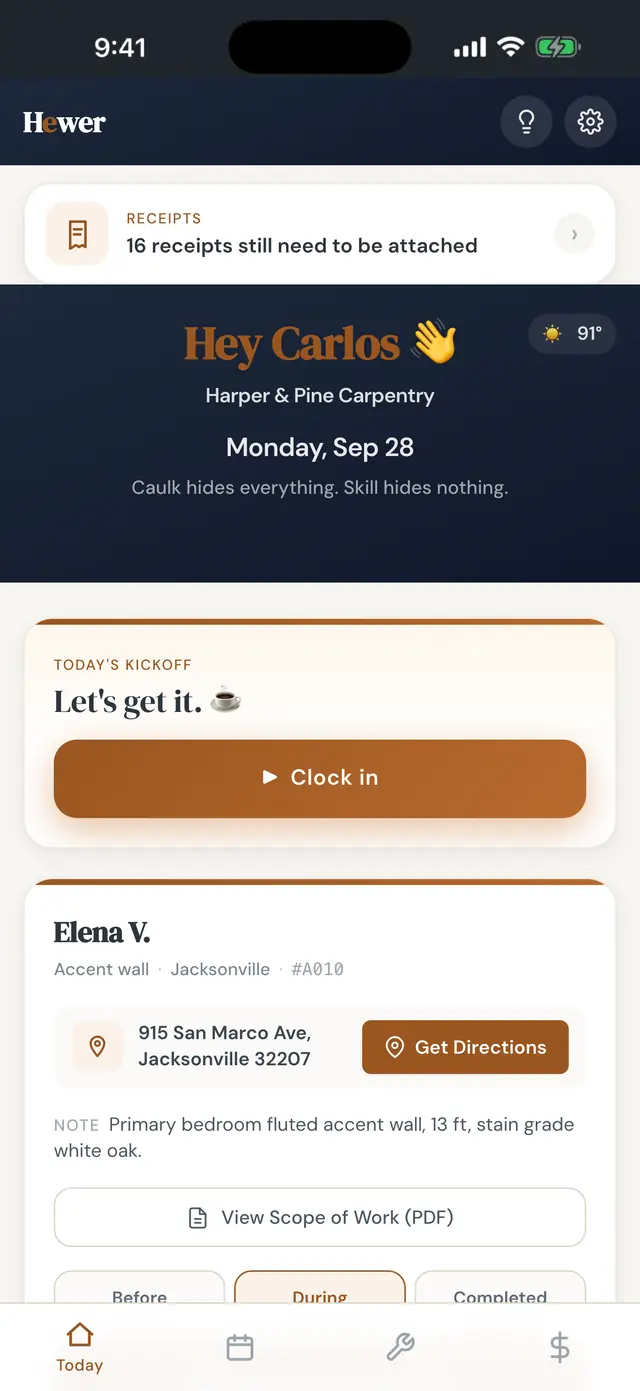
What your crew sees when they open the app at 7am.
Today view
The day's weather, jobs in order with directions and the office's notes, and one tap to clock in.
Clock-in + GPS travel
One-tap work, on-site, or home clock-in. Home and travel modes validate against the crew member's address and track drive time, so payroll is accurate. Multi-job days handled.
Photos + supply requests
Progress shots are auto-captioned and quality-scored by Claude vision, with retake hints when a shot is weak. Short a material on site? Tap the chip and the office gets the request.
Earnings, tasks & recognition
Crew see their own hours, bonuses, and profit share by day or week, trade tasks with the office, and get recognition notes — never any job pricing.
Trilingual + offline
English, Spanish, and Russian out of the box, picked per crew member. Installs as a phone app and keeps working — clock-ins, photos, and supply requests queue and sync when signal returns.
Trade extras
On-site math, solved
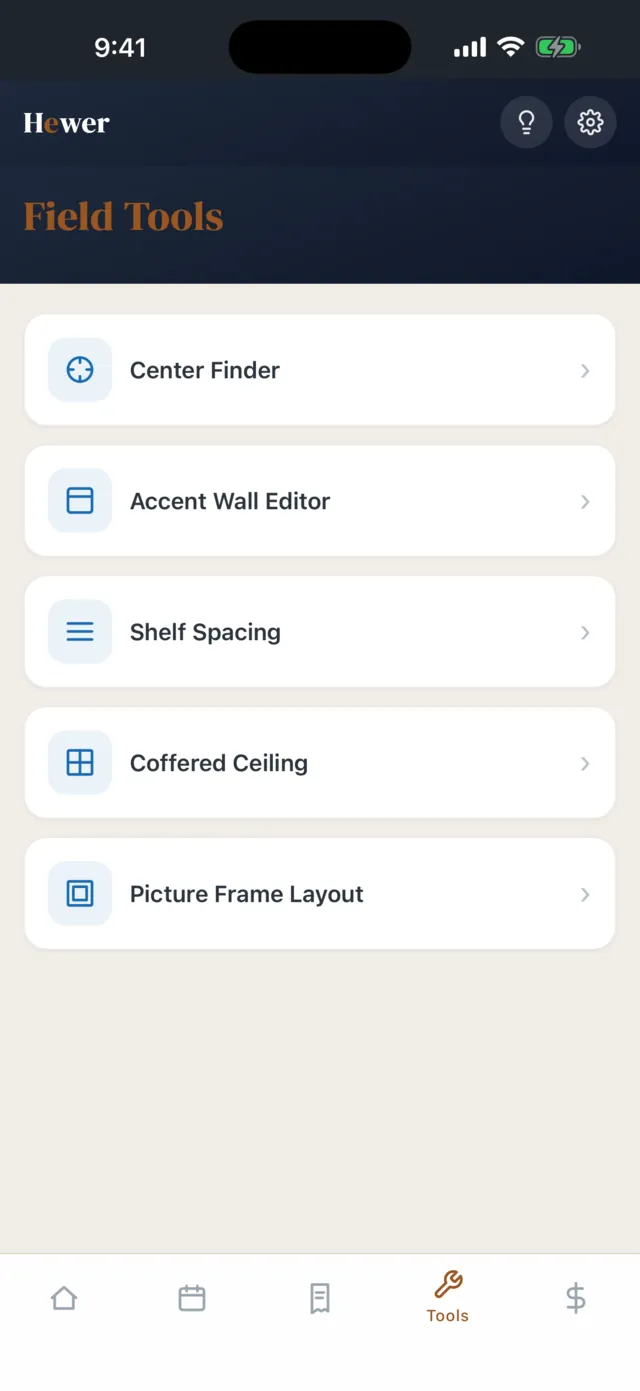
Layout calculators that render a cut list and an all-in price right on the phone. These are finish-carpentry tools, the trade Hewer was built in — a bonus if that is your work, and nothing else in the product assumes a trade.
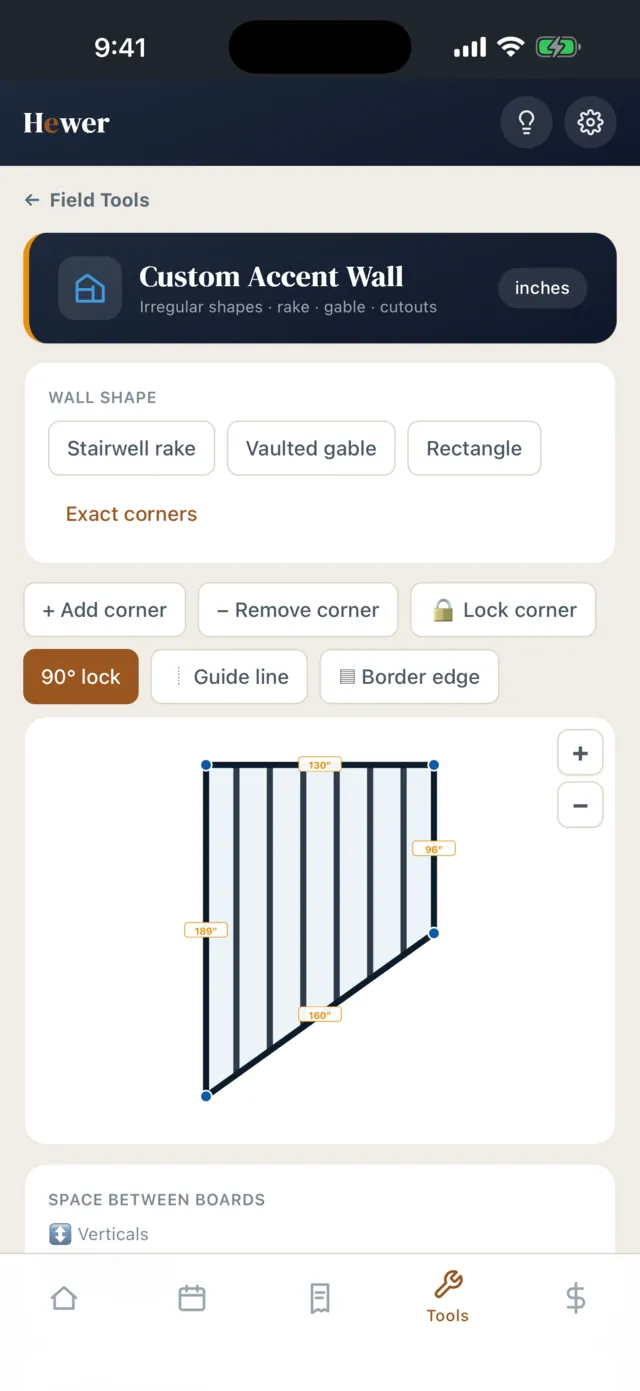
Accent wall editor
Vertical, staggered, grid, tartan, diamond, and border styles — plus a custom mode that draws true rake / gable / stairwell shapes and clips the grid to fit.
Board & batten + picture frame
Even wall-to-wall spacing and picture-frame / wainscoting layouts with frame schedules, mark-out lists, and footage.
Coffered ceiling
Lay out a beam-and-coffer grid by room size and on-center spacing, with a tappable plan view and running section marks.
Shelf spacing & center finder
Even shelf runs with elevation previews, and a quick center-point finder in inches and eighths.
Back office
Money, payroll & the books
Hewer finishes the job, with a login for your bookkeeper.
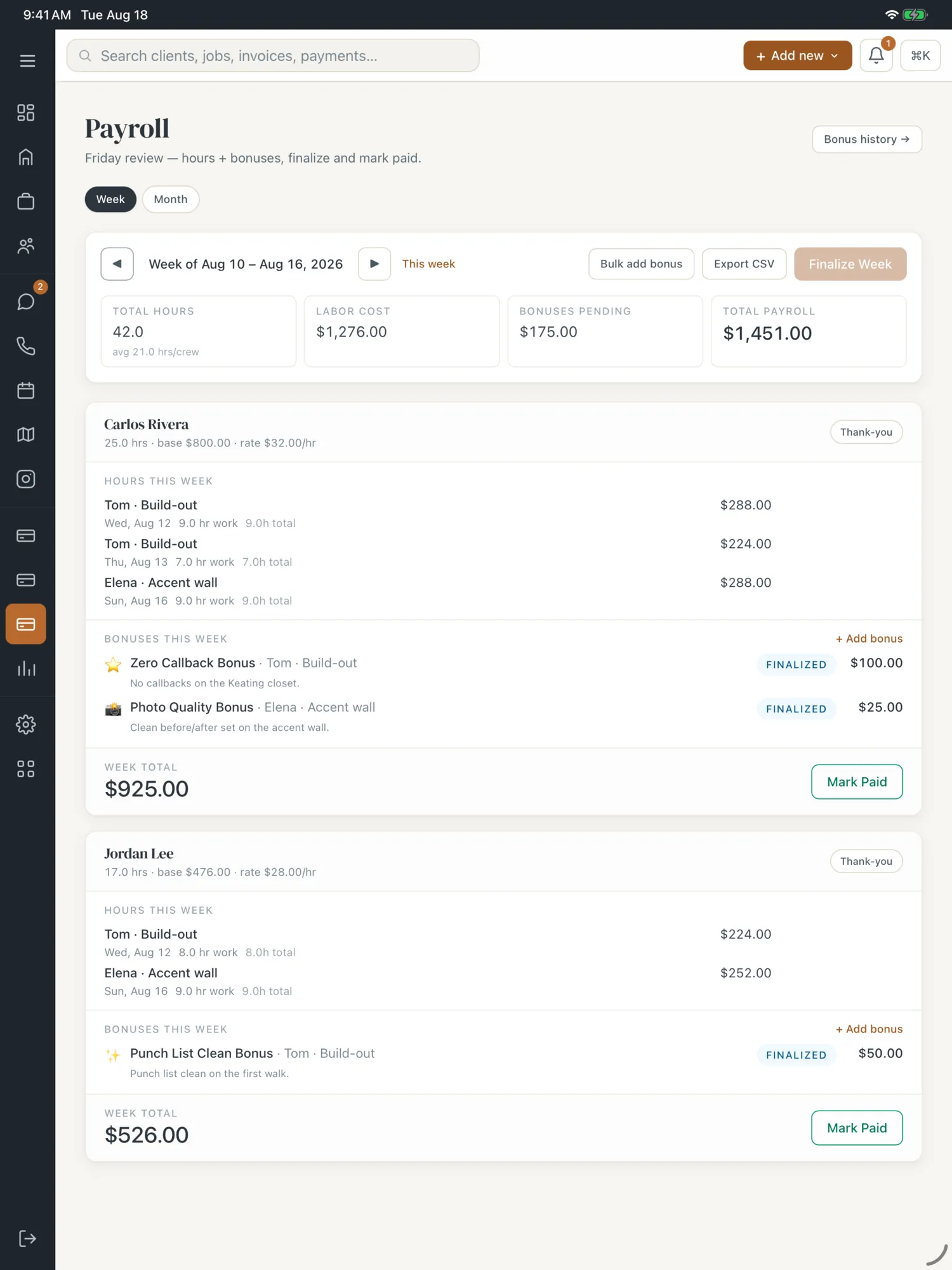
Payroll week view
Hours auto-roll from clock-ins. Add bonuses inline, mark paid, finalize the week, email a receipt to the crew member, and keep a full payroll history.
Stripe-backed invoicing
Deposit invoices the second an estimate is approved, and every open balance tracked on the job.
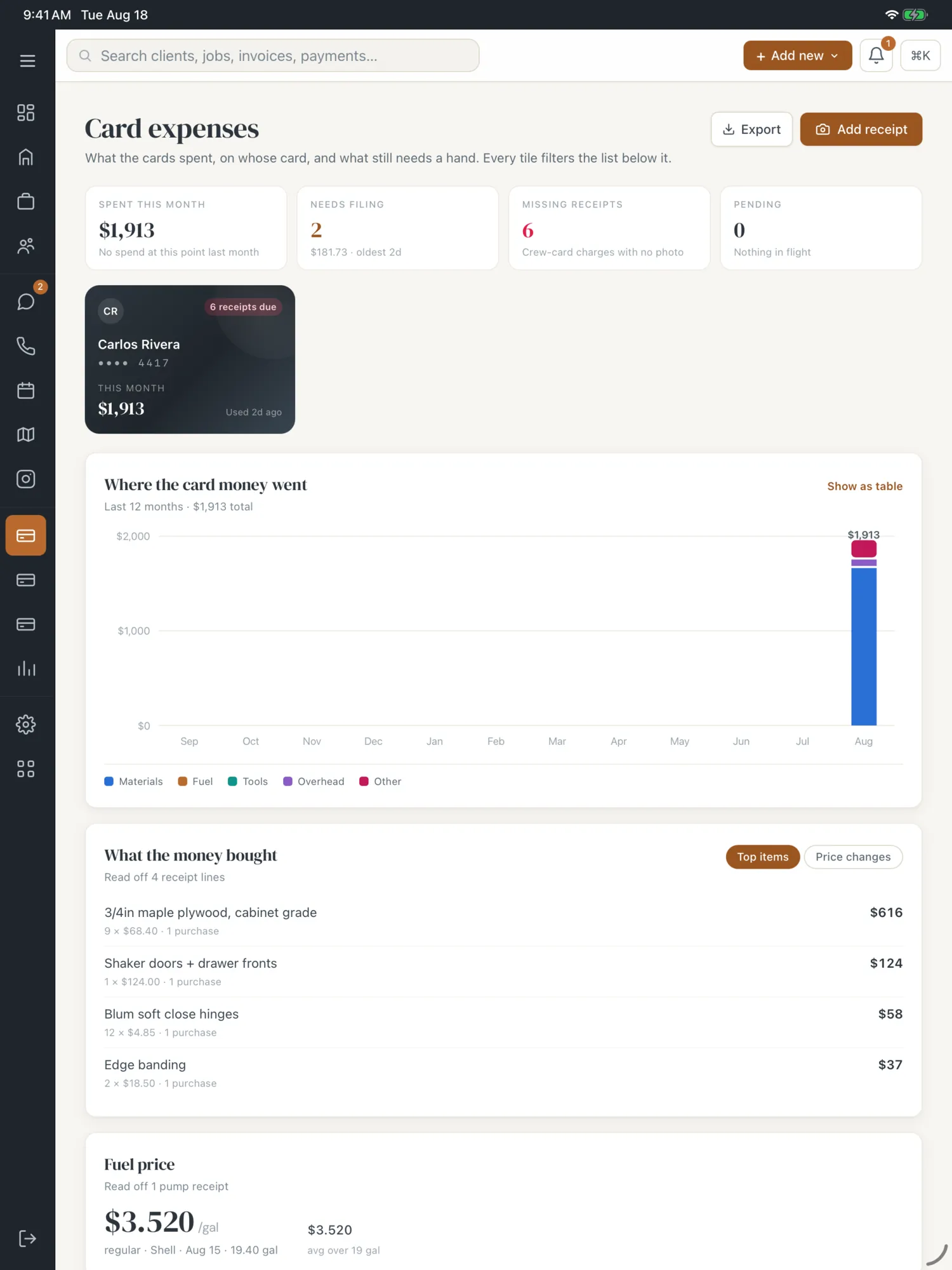
Expense matching
Card and expense charges match to jobs by clock-in window, the unmatched queue tells you what's left, and overhead allocates to closed jobs.
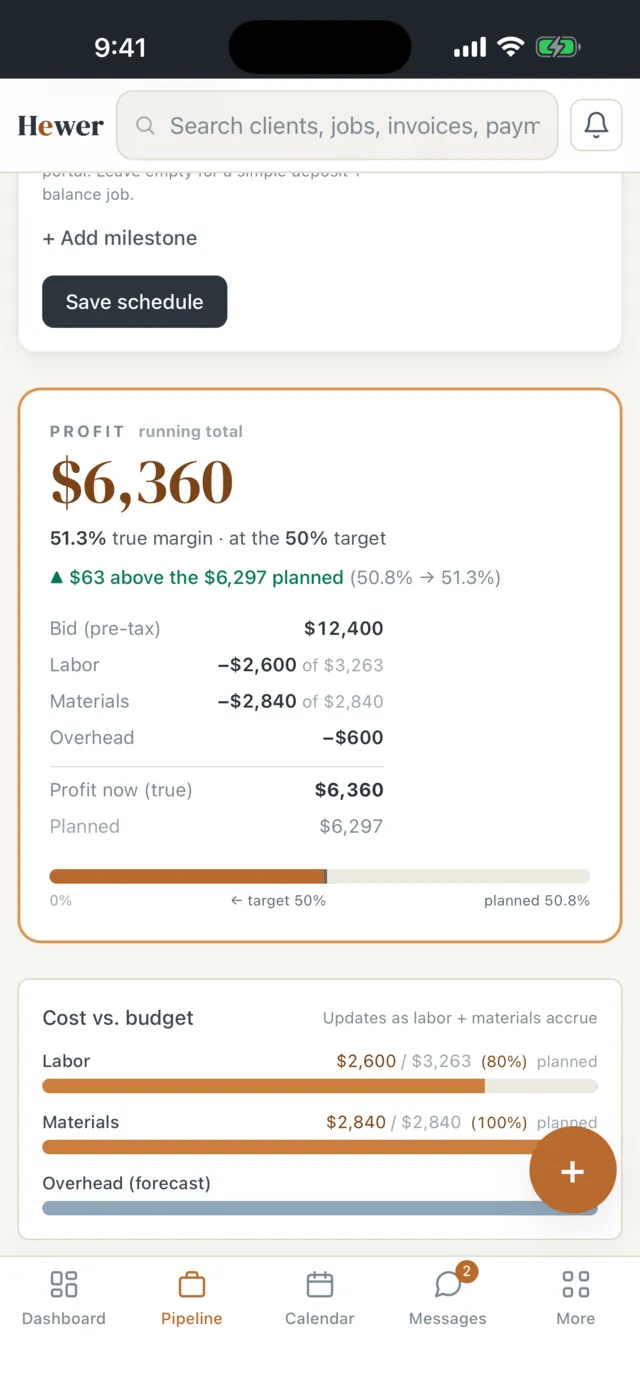
Cash flow, P&L & reports
30/60/90-day cash-flow projection, true margin per job frozen at payment, revenue by month, lead-source ROI, and report exports for your bookkeeper.
Insight
Know the business cold
A dashboard that reads itself, plus the AI patterns underneath.
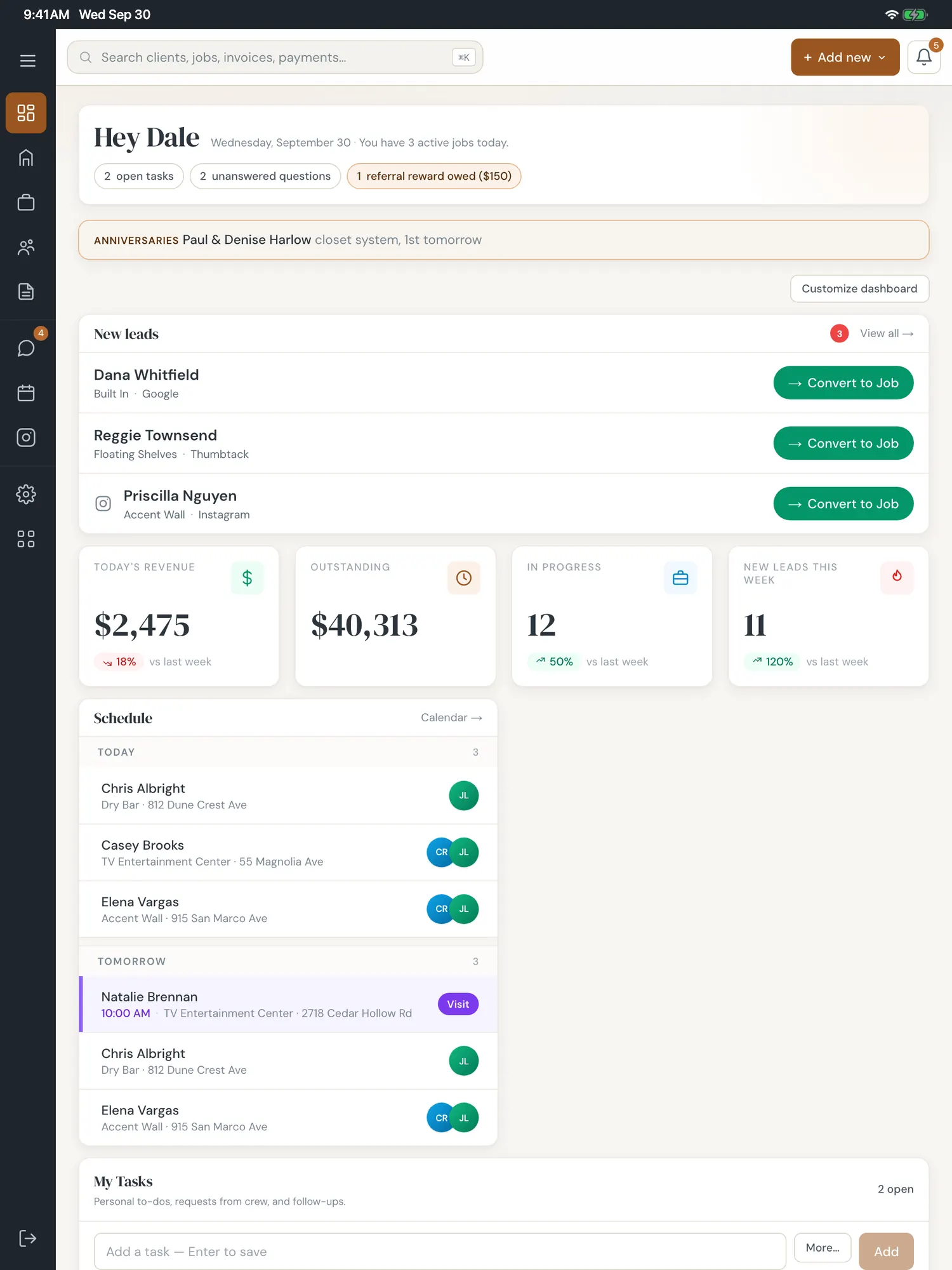
Live dashboard
KPIs, pipeline counts, today's schedule, new leads, margin alerts, revenue chart, cash-flow projection, and crew on the clock.
AI insights & heatmap
Claude surfaces revenue patterns — best-converting sources, job-type margins, seasonal trends — and a geographic heatmap of where your work concentrates.
Win / loss & lost leads
Why deals close or don't, broken down by project type, budget, and lost reason.
API cost tracking
Every Claude and OpenAI call is logged with token counts and a monthly / YTD cost estimate, so AI spend is never a surprise.
Compliance & risk
The stuff that bites at year-end
Deadlines and paperwork every trade loses money on, tracked automatically.
Construction lien deadlines
Your state's lien notice and filing dates fill in from the first and last day of crew labor, with the statute cited and owner reminders before each one. Informational, not legal advice.
Subcontractor 1099s
YTD payments tracked per sub against the IRS threshold, W-9-on-file status, and an exportable 1099-NEC list at tax time.
Growth
Reviews and content
Turn finished jobs into the next ten leads.
Reviews dashboard
Google reviews aggregated and synced nightly. Claude pulls the themes and the names customers mention.
Review request campaigns
Every finished job asks the customer for a Google review: up to three friendly asks, sent in your contact hours, stopping once they leave one or opt out.
Instagram queue
Crew photos that clear the AI quality gate land in a queue with three Claude-written caption options — pick one and export.
AI blog publishing
Claude writes SEO posts from before / during / after job photos, targeted by neighborhood and service, then drafts them for your site on a cadence you set.
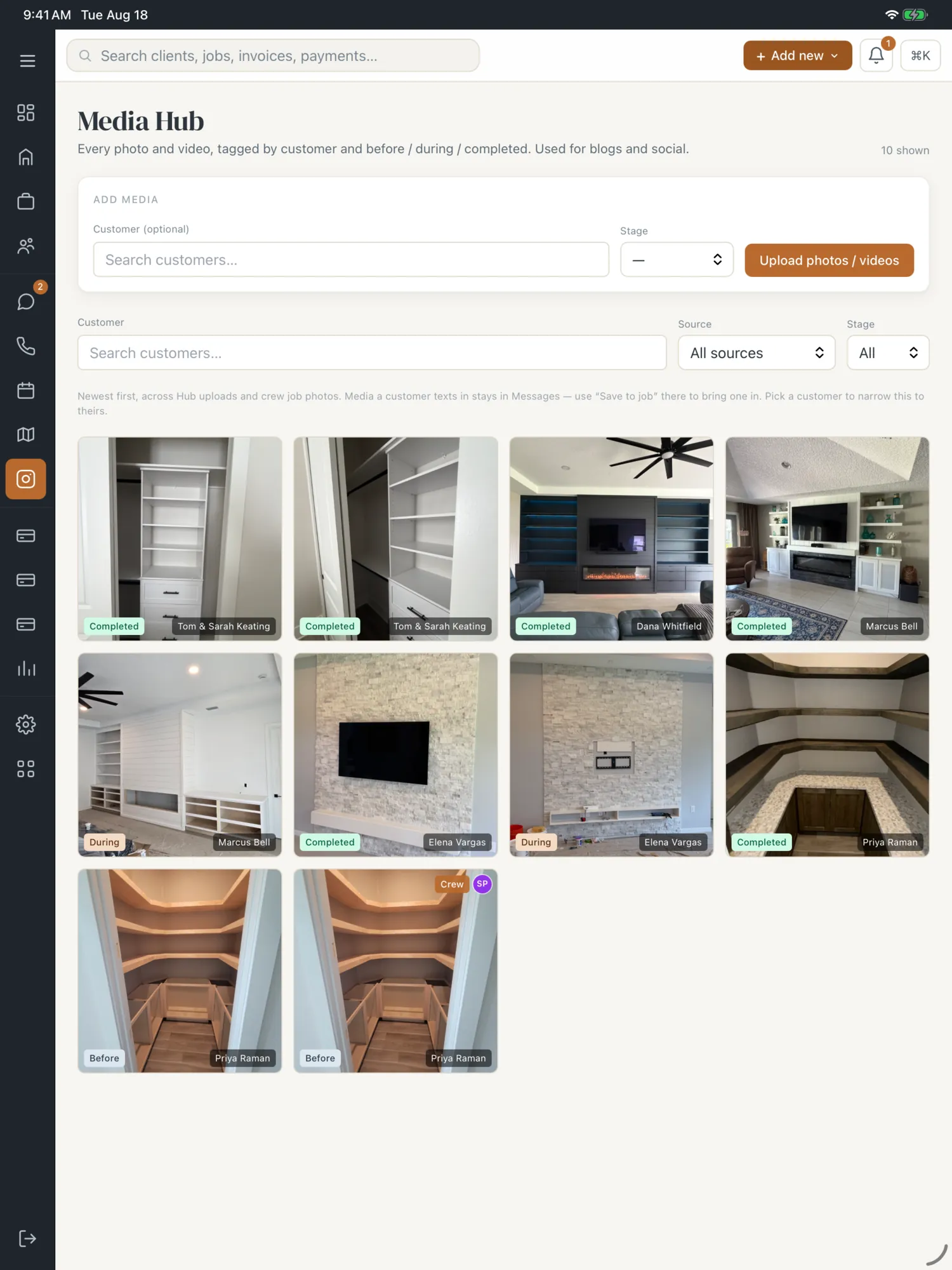
Testimonials and media
A tagged media hub of every job photo and video, and published video testimonials.
Automation
The behind-the-scenes
Deadlines and status changes run on a schedule so you don't have to remember.
Deadline & status automations
Lien alerts, the Friday payroll reminder, pre-install material checks, and an hourly check that moves jobs from scheduled to started to done.
Your own business number, calls first
Your number works for calls the moment you have it. Texts follow once the carriers clear the registration Hewer files for you.
Intelligence
AI woven through, not bolted on
Claude and OpenAI do the reading, writing, and listening. No prompt window to babysit.
Reads what comes in
Material screenshots, estimate PDFs, and scanned checks — all parsed by Claude vision into structured data.
Writes in your voice
Draft blog posts, Instagram captions, and a thank-you gesture per finished job, all editable before they go out.
Listens & summarizes
Plaud site-visit recordings are transcribed with Whisper and summarized into job notes and family facts.
Private by design
Stored names, numbers and addresses are swapped for placeholders before summarizing. Customer data is never used to train AI, and every model call is logged with token cost so spend stays visible.
Platform
Your data, walled off.
Each person sees only what their role allows, and nobody outside your company sees anything.
Your data, walled off
Your jobs, customers and numbers are visible only to your own team.
Four roles, one login
Admin, crew, estimator, and bookkeeper seats, each gated at the middleware to exactly what they should see. Every role is included.
Sign-in & audit
A one-time code to sign in, optional authenticator-app two-step sign-in, suspicious-login detection, lockouts, and an INSERT-only auth, document, and financial audit trail.
Integrations
Plays with the tools you already pay for
Works with these tools. Card payments you collect carry Stripe’s standard fee.
See it on your own data.
Set up your company in a couple of minutes and put a real job through it.